
 how-to
Telemedicine for Pediatric Non-Emergency Care: A Parent's Guide
Last Updated: October 22, 2026
Quick Summary
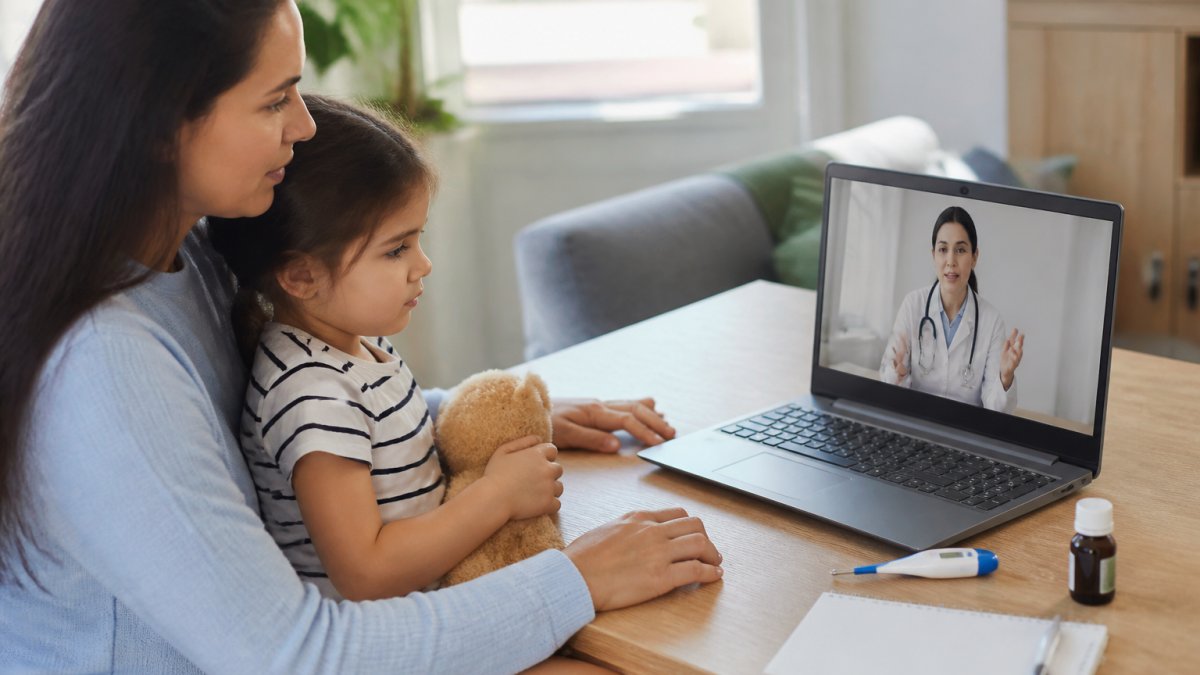
Telemedicine for pediatric non emergency care is a live video or phone visit with a licensed pediatric medical provider for concerns like rashes, fevers, and minor infections. It fits low-acuity problems that worry you but don't threaten your child's airway, breathing, or consciousness. Skip it for chest pain, severe breathing trouble, a seizure, or any emergency, and call 911 or go to the nearest ER.
- Book through the patient portal or by phone with your child's age, symptoms, and insurance details.
- Have a thermometer, medication list, insurance card, and pharmacy name within arm's reach.
- Ask whether the platform fee is billed separately from the provider fee and whether it is covered.
- A compliant platform should have a signed business associate agreement and encryption in transit and at rest.
- Call back or seek in-person care if your child gets worse instead of better after 48 hours.
Table of Contents
- What Pediatric Telemedicine Is and When to Use It
- Common Pediatric Conditions Treated via Telemedicine
- How a Pediatric Virtual Visit Works Step by Step
- Preparing for a Pediatric Virtual Visit
- Pediatric Telehealth Insurance Coverage and Billing
- Privacy and HIPAA Protections for Pediatric Telemedicine
- After the Visit: Follow-Up Care and When to Escalate
- Frequently Asked Questions
What Pediatric Telemedicine Is and When to Use It
Telemedicine for pediatric non emergency care is a live video or phone visit with a licensed pediatric medical provider for concerns like rashes, fevers, and minor infections.
The key word is non-emergency. Virtual care fits low-acuity problems that worry you but don't threaten your child's airway, breathing, or consciousness.
Use it when:
- Your child is mildly ill and you need clinical guidance fast
- A symptom needs a visual check, like a rash or an eye infection
- You need a prescription decision or a follow-up on a chronic condition
Skip it for chest pain, severe breathing trouble, a seizure, a serious head injury, or any emergency. The American Academy of Pediatrics guidance on telehealth draws the same line: virtual visits support care, they don't replace emergency services.
Common Pediatric Conditions Treated via Telemedicine
The conditions most often treated through telemedicine for pediatric non emergency care fall into a few clear groups, because the diagnosis relies on history and a visual look.
Everyday acute care:
- Colds, coughs, and sore throats
- Ear pain and suspected ear infections
- Pink eye and minor skin rashes
Chronic condition management:
- Asthma check-ins and inhaler technique review
- Eczema flare plans
- ADHD medication follow-ups
Behavioral and developmental questions:
- Sleep problems
- Feeding concerns
- School and attention questions
Conditions That Need In-Person Care
Some problems need a physical exam, swab, imaging, or procedure. Ask for an office visit or urgent care when your child has:
- Trouble breathing or blue lips
- Severe dehydration or no urine output
- A deep cut, burn, or wound that needs cleaning or stitches
A good triage rule: if you would drive to the ER without hesitation, do that. Don't book a video visit first.
How a Pediatric Virtual Visit Works Step by Step
Here is the flow of a remote consultation, start to finish.
- Request the visit. Book through the patient portal or by phone with your child's age, symptoms, and insurance details.
- Complete intake forms. Fill in medical history, allergies, and current medications before the appointment.
- Join the secure connection. Open the link a few minutes early and test your camera and microphone.
- Meet the pediatric medical provider. They'll ask about symptoms, timeline, and what you've already tried.
- Do a guided exam. The provider may ask you to press on the belly, look in the throat with a flashlight, or hold the camera close to a rash.
- Get a plan. You'll leave with a diagnosis, treatment steps, and any prescription sent to your pharmacy.
- Receive visit notes. Notes post to the patient portal for your records and your child's regular doctor.
Troubleshooting Technical Issues Before and During the Visit
Most failed visits come down to audio, video, or connection. Fix them in this order.
- No sound? Check the mute button first, then switch your audio output device in the app settings.
- Frozen video? Close other apps and tabs. Move closer to your router.
- Can't log in? Reset your portal password before the visit starts, not during it.
Preparing for a Pediatric Virtual Visit
A little prep turns a rushed five minutes into a useful consultation.

Have these within arm's reach:
- A thermometer and recent temperature readings
- A list of medications, doses, and allergies
- Insurance card and pharmacy name
Write down your top three questions. Visits move fast. A short list keeps you from forgetting the thing that actually worried you.
Age-Appropriate Ways to Prepare Your Child
Preparation changes by age and matters more than most parents expect.
- Toddlers: Keep it simple. "The doctor is going to wave at you on the screen." Have a comfort toy nearby.
- Ages 4-7: Explain the visit in one sentence. Let them hold the tablet. Practice saying "ahh" into the camera.
- Ages 8-12: Tell them the provider will ask questions and they can answer. Give them a job, like holding the flashlight.
Pediatric Telehealth Insurance Coverage and Billing
Insurance coverage for pediatric telehealth varies by plan, so confirm your own benefits before the visit. Many commercial plans cover virtual visits for primary and urgent care, often at a lower co-pay than in-person, and some treat telehealth exactly like an office visit. But "covered" and "covered the way you expect" are not the same thing, so understand how the billing flows.
How a Telehealth Claim Is Built
A virtual visit usually generates two separate charges, which prevents most surprise bills:
- The provider fee, the professional service, billed under a telehealth-specific CPT code. Many plans process this at the same cost-share as an in-person office visit for the same service.
- The platform or facility fee, a separate charge some telehealth companies add for use of their software or virtual facility. Not every plan covers it, and it is the line item parents most often miss.
Ask when you schedule: Is the platform fee billed separately from the provider fee? and Is the platform fee covered under my plan? Those answers give you your real out-of-pocket number before the visit starts.
What to Confirm Before You Book
- Is the visit covered, and at what co-pay or coinsurance?
- Is the provider in-network? Out-of-network telehealth can be billed at a much higher rate.
- Does the plan require a referral or prior authorization for a specialist virtual visit?
Check the Medicare telehealth coverage guidance if your child is covered under a federal plan, since rules and covered services change from year to year. For commercial plans, call the member services number on the back of your card and ask them to confirm the telehealth benefit in writing or by secure message.
Common Billing Surprises and How to Fix Them
- The platform fee wasn't covered. Ask the plan whether the fee can be reprocessed under the provider's contract once billing resubmits with the correct code.
- The visit was coded as a new patient when your child was established. Ask the billing office to review the claim; a coding correction often lowers your cost-share.
- The claim was denied as "not a covered telehealth service." Request the denial reason in writing, then ask the billing team to appeal with the visit notes and service code. Denials for covered services are frequently overturned.
If You're Uninsured or Have a High-Deductible Plan
Ask the practice for the self-pay rate before you book. Many publish a flat cash price for non-emergency virtual visits, often lower than the billed charge a high-deductible plan would pass through. If your child is covered by Medicaid or the Children's Health Insurance Program, confirm the platform is an approved telehealth vendor, these rules are set at the state level and vary widely.
Privacy and HIPAA Protections for Pediatric Telemedicine
Telemedicine visits are protected health information, and the platform should be HIPAA compliant with end-to-end encryption, a private patient portal, and strict rules on who can access your records. But "HIPAA compliant" is a claim, not a guarantee, so know what it requires and how to check it.
What HIPAA Actually Requires of a Telehealth Platform
HIPAA's Security Rule requires covered entities and their business associates to protect electronic protected health information through administrative, physical, and technical safeguards. A compliant platform should be able to show you:
- Encryption in transit and at rest, video and stored visit records are encrypted, not just the login page.
- A signed business associate agreement (BAA), the platform has a contract with the provider accepting responsibility for protecting health data. If a platform won't sign a BAA, a covered provider shouldn't be using it for patient care.
- Access controls and audit logs, only authorized staff can open your child's record, and every access is logged.
How to Verify It Yourself
You don't need to read the regulation to check the basics:
- Look for a published HIPAA compliance statement and, where available, a third-party security certification such as HITRUST.
- Confirm the video link is served over HTTPS and that the visit runs inside the provider's patient portal rather than a consumer video app.
- Check that visit notes and messages live in the secure portal, not in email or standard text messages.
A quick test: if the visit invitation arrives as a plain email link to a consumer video app with no portal login, ask the practice how that link is secured before you join.
Your Child's Privacy Rights Change With Age
A minor's privacy rights shift with age and state law. Some states let teens consent to certain types of care on their own, often mental health, reproductive health, or substance use counseling, and those rules can apply to telehealth too. Under HIPAA, a parent is generally the personal representative of a minor child, but that role can be limited when the child lawfully consents to their own care or state law lets the child control that information.
What this means in practice:
- Ask the provider up front how they handle teen confidentiality and what will and won't be shared with you.
- Expect a private portion of the visit. Many practices ask a parent to step out for part of a teen visit so the patient can speak candidly.
- Know the portal rules. Some portals give teens their own login and limit what a parent can see once the child reaches a certain age.
Protecting Privacy on Your End
Most telehealth breaches happen in the home, not the platform. Join from a private room, use headphones when others are nearby, avoid public Wi-Fi for sensitive visits, and keep the visit link and portal password to yourself. Don't record the visit unless the provider asks and explains how the recording will be stored.
After the Visit: Follow-Up Care and When to Escalate
The visit isn't the end of care. Follow-up is where outcomes are made.
Right after the visit:
- Read the visit notes in the patient portal
- Fill any prescription the same day
- Start the treatment plan exactly as written
Watch for these escalation signs. Call back or seek in-person care if your child:
- Gets worse instead of better after 48 hours
- Develops new symptoms the provider didn't expect
- Has a fever that won't come down
Send a portal message with a photo if a rash or wound changes. Many medical providers will review an image and tell you whether to come in.
Don't wait out a worsening symptom because the video visit "already happened." A follow-up message is fast, and it's the difference between early treatment and a late one.
Frequently Asked Questions
Can you use telehealth for children?
Yes. Telemedicine can be used for non-emergency concerns like colds, rashes, ear pain, and mild stomach upset. A medical provider can assess symptoms over video, offer clinical guidance, and send prescriptions to your pharmacy when appropriate. It is not a replacement for emergency care or for conditions that need a hands-on exam, such as suspected fractures or severe breathing trouble. Check with your provider about which concerns they handle virtually.
What types of pediatric conditions are suitable for virtual care?
Common conditions treated via telemedicine include colds, mild fevers, sore throats, ear discomfort, conjunctivitis, rashes, mild asthma follow-ups, and medication checks. Virtual visits also work well for behavioral health questions and chronic condition management. Providers can offer diagnostic support and guidance based on what they see and hear, but they will refer you for in-person care if a physical exam is needed.
Will insurance cover pediatric telemedicine visits?
Many insurance plans cover telehealth visits, often with a co-pay similar to an in-person appointment. Coverage depends on your specific plan, so confirm with your insurer before booking. Ask whether the visit is billed as a remote consultation and whether the provider is in your network.
How do I prepare my child for a virtual doctor's appointment?
Test your camera and microphone beforehand, find a quiet, well-lit room, and have a thermometer, medication list, and insurance card ready. A calm, matter-of-fact tone helps patients feel at ease during the visit.
Non-emergency pediatric care shouldn't mean a two-hour wait with a sick child in a crowded office. Morris Medical Center offers physician-led telehealth visits by phone or computer, with secure video, a patient portal for notes and follow-up, and scheduling that fits around work and school. Our providers take the time to listen and give you a clear plan, not a rushed referral. Get started with Morris Medical Center and get your child seen today.